

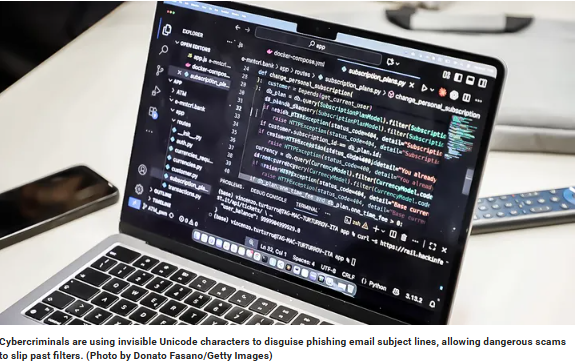
Cybercriminals keep finding new angles to get your attention, and email remains one of their favourite tools. Over the years, you have probably seen everything from fake courier notices to AI-generated scams that feel surprisingly polished.
Filters have improved, but attackers have learned to adapt. The latest technique takes aim at something you rarely think about: the subject line itself. Researchers have found a method that hides tiny, invisible characters inside the subject so automated systems fail to flag the message. It sounds subtle, but it is quickly becoming a serious problem.
How the new trick works
Researchers recently uncovered phishing campaigns that embed soft hyphens between every letter of an email subject.
These are invisible Unicode characters that normally help with text formatting. They do not show up in your inbox, but they completely throw off keyword-based filters.
Attackers use MIME encoded-word formatting to slip these characters into the subject. By encoding it in UTF-8 and Base64, they can weave these hidden characters through the entire phrase.
One analysed email decoded to “Your Password is About to Expire” with a soft hyphen tucked between every character. To you, it looks normal. To a security filter, it looks scrambled, with no clear keyword to match. The attackers then use the same trick in the body of the email, so both layers slide through detection. The link leads to a fake login page sitting on a compromised domain, designed to harvest your credentials.
If you have ever tried spotting a phishing email, this one still follows the usual script. It builds urgency, claims something is about to expire and points you to a login page. The difference is in how neatly it dodges the filters you trust.
Why this phishing technique is super dangerous
Most phishing filters rely on pattern recognition. They look for suspicious words, common phrases and structure.
They also scan for known malicious domains. By splitting every character with invisible symbols, attackers break up these patterns. The text becomes readable for you but unreadable for automated systems. This creates a quiet loophole where old phishing templates suddenly become effective again.
The worrying part is how easy this method is to copy. The tools needed to encode these messages are widely available. Attackers can automate the process and churn out bulk campaigns with little extra effort. Since the characters are invisible in most email clients, even tech-savvy users do not notice anything odd at first glance.
Security researchers point out that this method has appeared in email bodies for years, but using it in the subject line is less common. That makes it harder for existing filters to catch. Subject lines also play a key role in shaping your first impression. If the subject looks familiar and urgent, you are more likely to open the email, which gives the attacker a head start.
How to spot a phishing email before you click
Phishing emails often look legitimate, but the links inside them tell a different story. Scammers hide dangerous URLs behind familiar-looking text, hoping you will click without checking. One safe way to preview a link is by using a private email service that shows the real destination before your browser loads it.
Our top-rated private email provider recommendation includes malicious link protection that reveals full URLs before opening them. This gives you a clear view of where a link leads before anything can harm your device. It also offers strong privacy features like no ads, no tracking, encrypted messages and unlimited disposable aliases.
9 steps you can take to protect yourself from this phishing scam
You do not need to become a security expert to stay safe. A few habits, paired with the right tools, can shut down most phishing attempts before they have a chance to work.
1) Use a password manager
A password manager helps you create strong, unique passwords for every account. Even if a phishing email fools you, the attacker cannot use your password elsewhere because each one is different. Most password managers also warn you when a site looks suspicious.
2) Enable two-factor authentication
Turning on 2FA adds a second step to your login process. Even if someone steals your password, they still need the verification code on your phone. This stops most phishing attempts from going any further.
3) Install a reliable antivirus software
Strong antivirus software does more than scan for malware. Many can flag unsafe pages, block suspicious redirects and warn you before you enter your details on a fake login page. It is a simple layer of protection that helps a lot when an email slips past filters.
The best way to safeguard yourself from malicious links that install malware, potentially accessing your private information, is to have strong antivirus software installed on all your devices. This protection can also alert you to phishing emails and ransomware scams, keeping your personal information and digital assets safe.
4) Limit your personal data online
Attackers often tailor phishing messages using information they find about you. Reducing your digital footprint makes it harder for them to craft emails that feel convincing. You can use personal data removal services to clean up exposed details and old database leaks.
While no service can guarantee the complete removal of your data from the internet, a data removal service is really a smart choice. They aren’t cheap, and neither is your privacy. These services do all the work for you by actively monitoring and systematically erasing your personal information from hundreds of websites. It’s what gives me peace of mind and has proven to be the most effective way to erase your personal data from the internet. By limiting the information available, you reduce the risk of scammers cross-referencing data from breaches with information they might find on the dark web, making it harder for them to target you.
5) Check sender details carefully
Do not rely on the display name. Always check the full email address. Attackers often tweak domain names by a single letter or symbol. If something feels off, open the site manually instead of clicking any link inside the email.
6) Never reset passwords through email links
If you get an email claiming your password will expire, do not click the link. Go to the website directly and check your account settings. Phishing emails rely on urgency. Slowing down and confirming the issue yourself removes that pressure.
7) Keep your software and browser updated
Updates often include security fixes that help block malicious scripts and unsafe redirects. Attackers take advantage of older systems because they are easier to trick. Staying updated keeps you ahead of known weaknesses.
8) Turn on advanced spam filtering or “strict” filtering
Many email providers (Gmail, Outlook, Yahoo) allow you to tighten spam filtering settings. This won’t catch every soft-hyphen scam, but it improves your odds and reduces risky emails overall.
9) Use a browser with anti-phishing protection
Chrome, Safari, Firefox, Brave, and Edge all include anti-phishing checks. This adds another safety net if you accidentally click a bad link.
Source: Fox News